
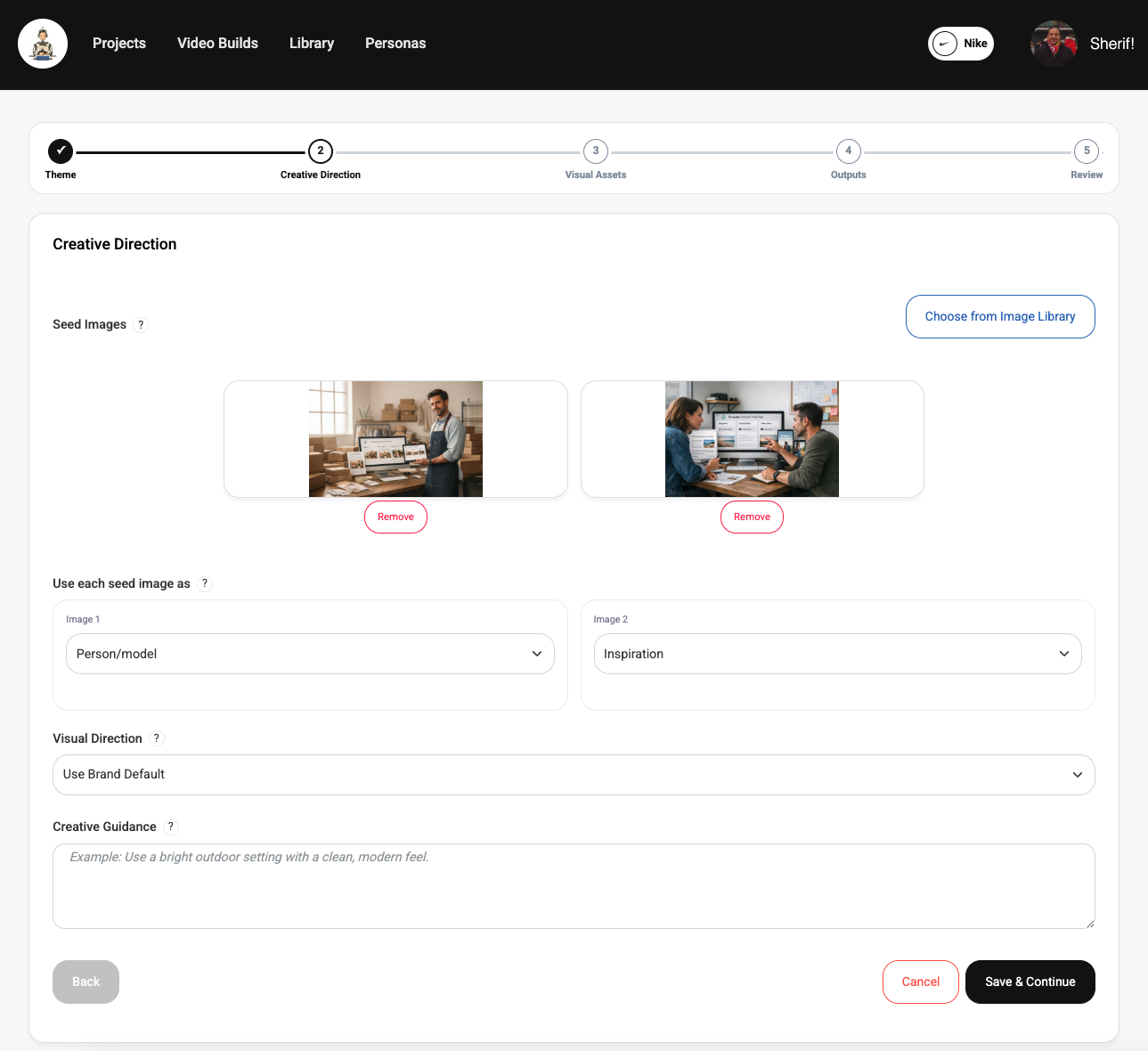
What seed images do
Seed images help Genia lock onto visual specifics that are hard to express with text alone. They are especially useful for product shots, people, environments, and mood references.
They act as anchors for the visual direction, which is why they are often more effective than adding lots of descriptive prose. A strong image can communicate composition, lighting, product shape, and polish much faster than text alone.
Best practice: choose images that clearly represent the look you want repeated, not just images that happen to be attractive on their own.
Creative direction adds context
Creative direction should describe the visual feel you want rather than restating the project idea. Short, clear guidance around tone, setting, polish, and style is usually more effective than long prose.
Genia uses that direction to decide how the result should feel, not just what it should depict. Good creative direction helps steer polish, mood, and visual consistency across outputs.
Best practice: describe the intended look with a few specific cues, such as premium, warm, editorial, bright workspace, or clean product focus, instead of piling on loosely related adjectives.
Best practices
The best results usually come from keeping your inputs aligned. When the images, creative direction, and project goal all point in the same direction, Genia has a much easier time producing a coherent first pass.
- 1Use clear, relevant source images instead of generic stock-style references. Best practice: prefer one or two high-signal images over a large mixed set.
- 2Avoid adding multiple images that conflict strongly with each other. Best practice: if two references suggest different styles or environments, split them into separate experiments instead of forcing both into one result.
- 3Use creative direction to clarify the look, not to overload the prompt with unrelated detail. Best practice: keep the guidance focused on the visual outcome you want Genia to reproduce.