
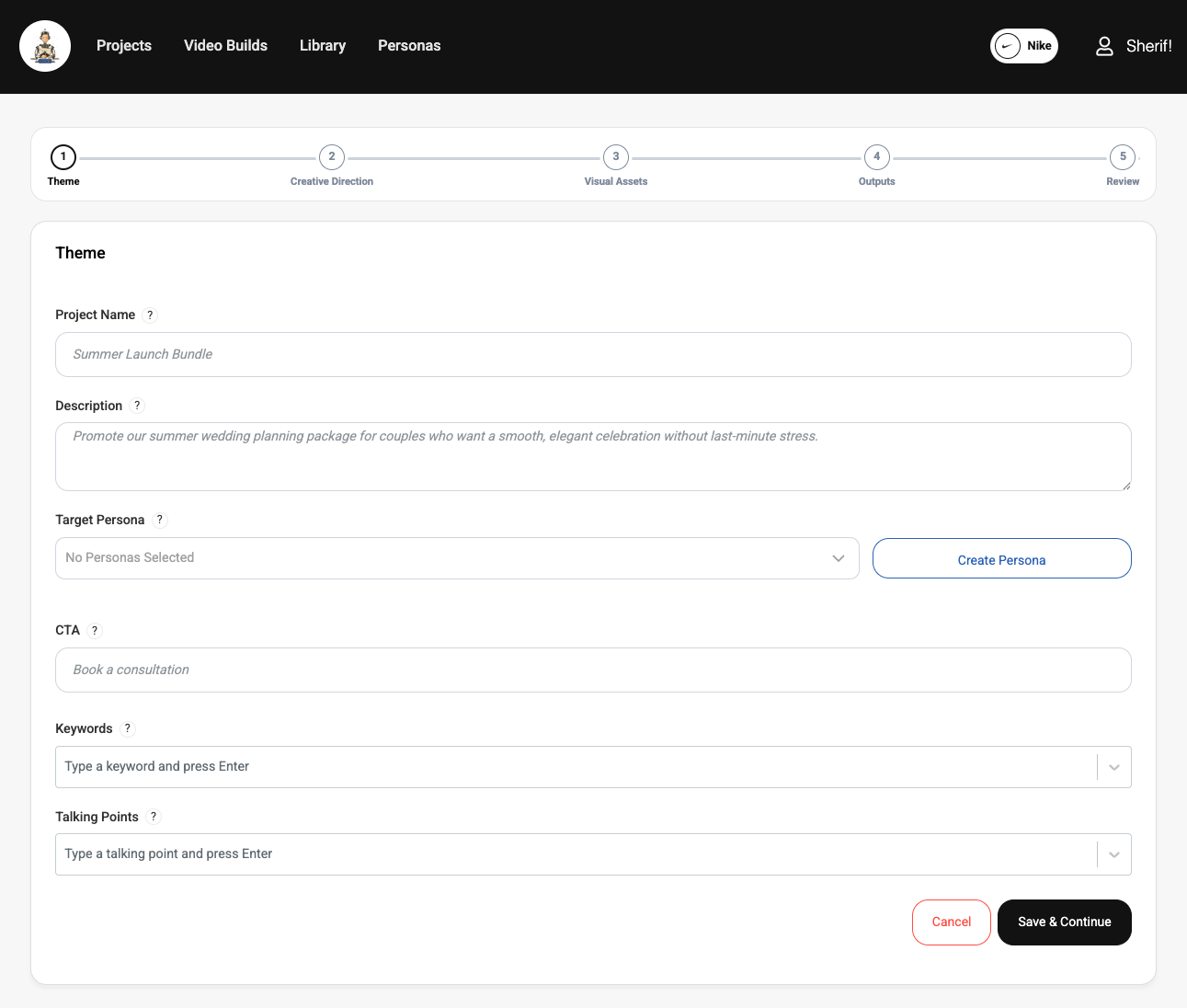
Start with your brand
ContentGenia works best when the app has enough context to generate content that feels specific instead of generic. Set up your brand name, default CTA, visual direction, and any reusable context that should influence output quality.
Inside the product, Genia is the creative assistant interpreting that context and turning it into drafts, visuals, and video ideas. The clearer your brand inputs are, the better Genia can make first-pass decisions.
If you plan to create video, seed images and product imagery are especially helpful because they give the system stronger visual anchors from the start.
Choose the right project type
Use a standard project when you want to turn one idea into a coordinated bundle of blog, social, and video outputs.
Use a standalone video project when the main goal is building and refining a video on its own, especially if you want scene-by-scene control later.
Move through the workflow
Once your brand is set up and you choose the right project type, the workflow becomes much easier to navigate. The goal is to give Genia enough direction to create strong first-pass outputs without overloading the setup with unnecessary detail.
A good rule of thumb is to start specific, stay visually consistent, and review each stage before moving on. That usually leads to better results than trying to solve everything with one long description.
- 1Describe the core idea or angle. Focus on the main message you want the content to communicate, not every possible detail. Best practice: write the brief the way you would explain the project to a teammate in a few clear sentences.
- 2Choose the persona when the content should feel tailored to a specific audience. This helps Genia make stronger decisions about tone, framing, and emphasis. Best practice: use a persona when the audience has a clear job, goal, or buying context instead of leaving the content too broad.
- 3Add seed images and creative direction when you want tighter visual control. Seed images are especially helpful for products, people, environments, and branded looks that should stay recognizable. Best practice: use a few strong, relevant references instead of many mixed images that pull the visuals in different directions.
- 4Review the generated assets and outputs before you publish or iterate. This is the stage to decide whether the first pass is good enough, needs a stronger visual direction, or should be refined scene by scene in the video workflow. Best practice: keep what is already working and only regenerate the parts that actually need improvement.